 Sesona
Record it. Get the notes.
Sesona turns a meeting, a lecture or a doctor’s visit into clear notes — and does all of it on your iPhone. Nothing is uploaded. There is no account. There is no weekly subscription.
- Free transcripts, unlimited
- 3 free summaries a week
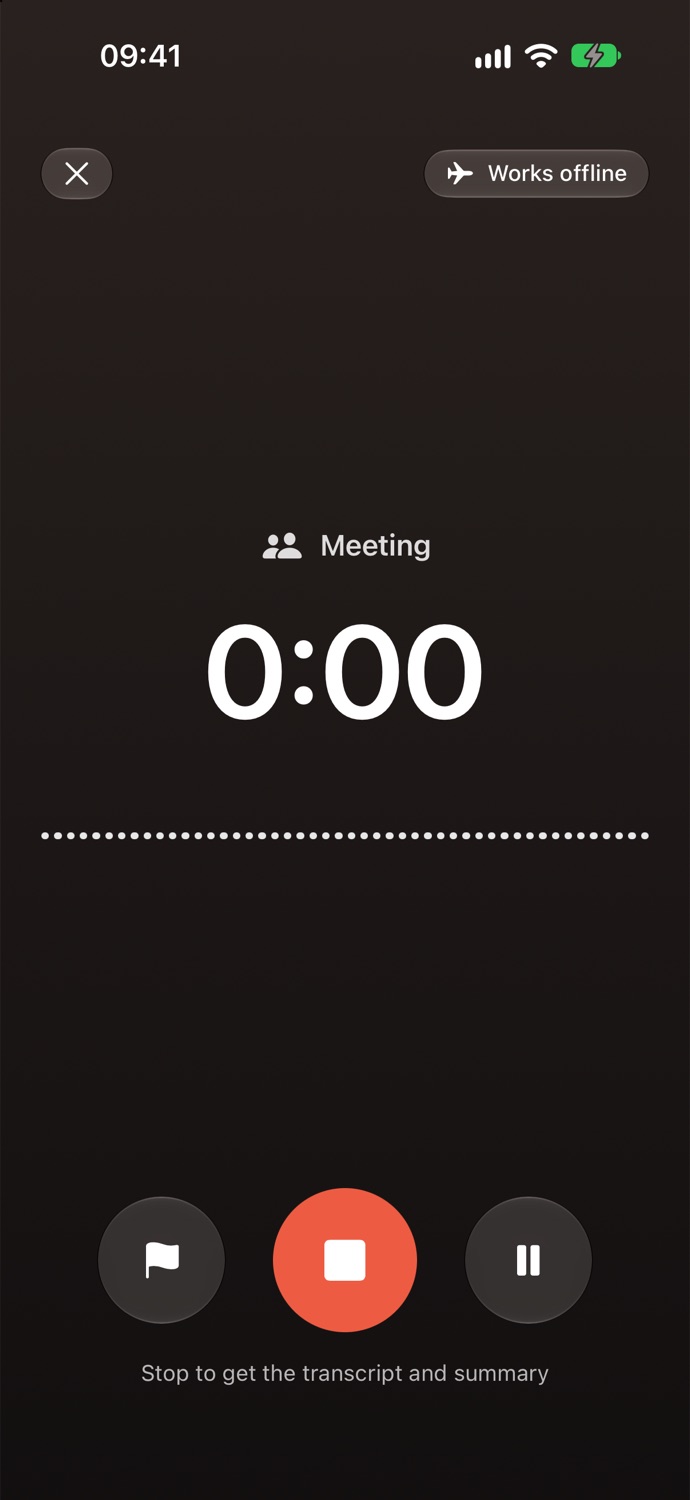
- Works in airplane mode
Notes that fit what you recorded
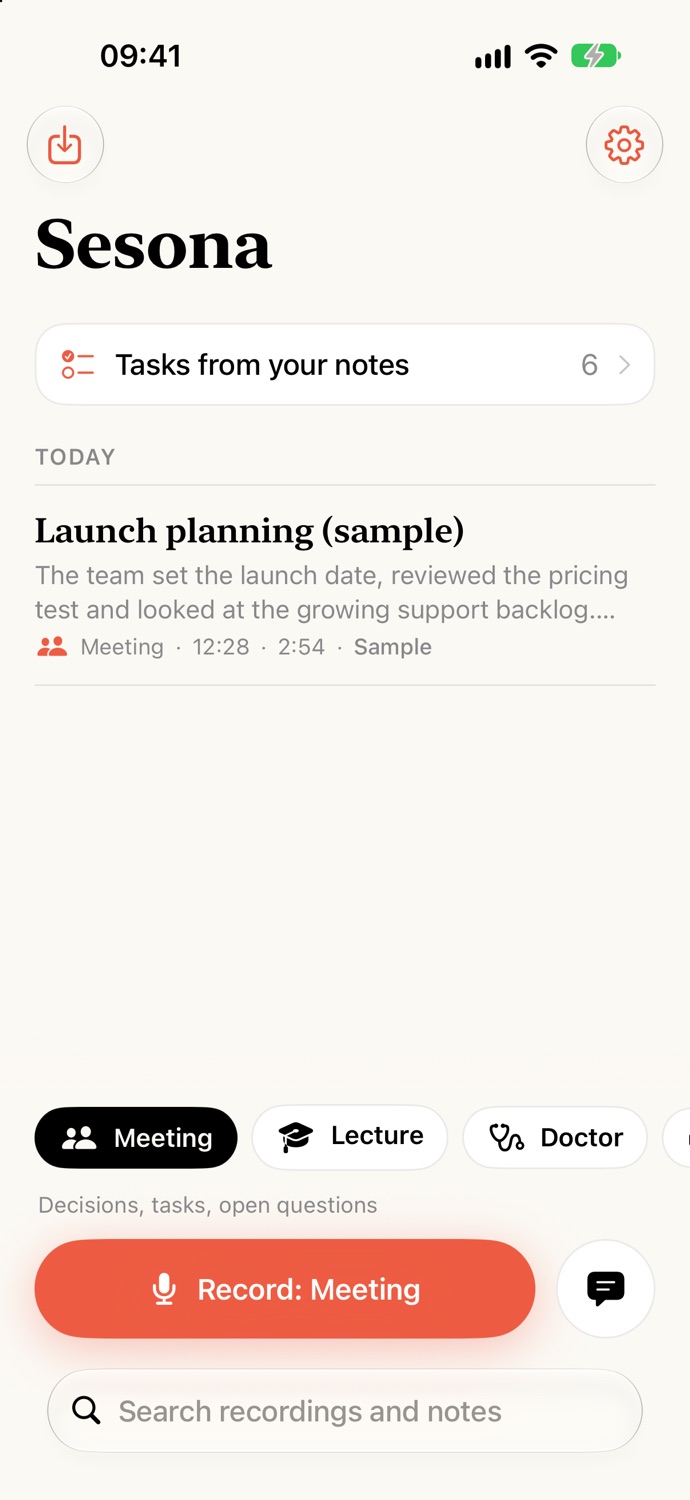
A lecture is not a meeting, and a doctor’s visit is neither. Tell Sesona what you are recording and it writes the notes you would have written yourself.
Meeting
Stand-ups, client calls on speaker, one-on-ones.
- Decisions
- Action items
- Open questions
Lecture
Classes, talks, webinars, long podcasts.
- Key ideas
- Terms
- To review
Doctor
So you remember what was actually said.
- What was said
- Instructions
- Your questions
Therapy
Your own notes from your own session.
- Topics
- Homework
- For next time
Note
A thought on the walk home.
- Thoughts
- To-dos
- Ideas
Every line links to the moment it was said
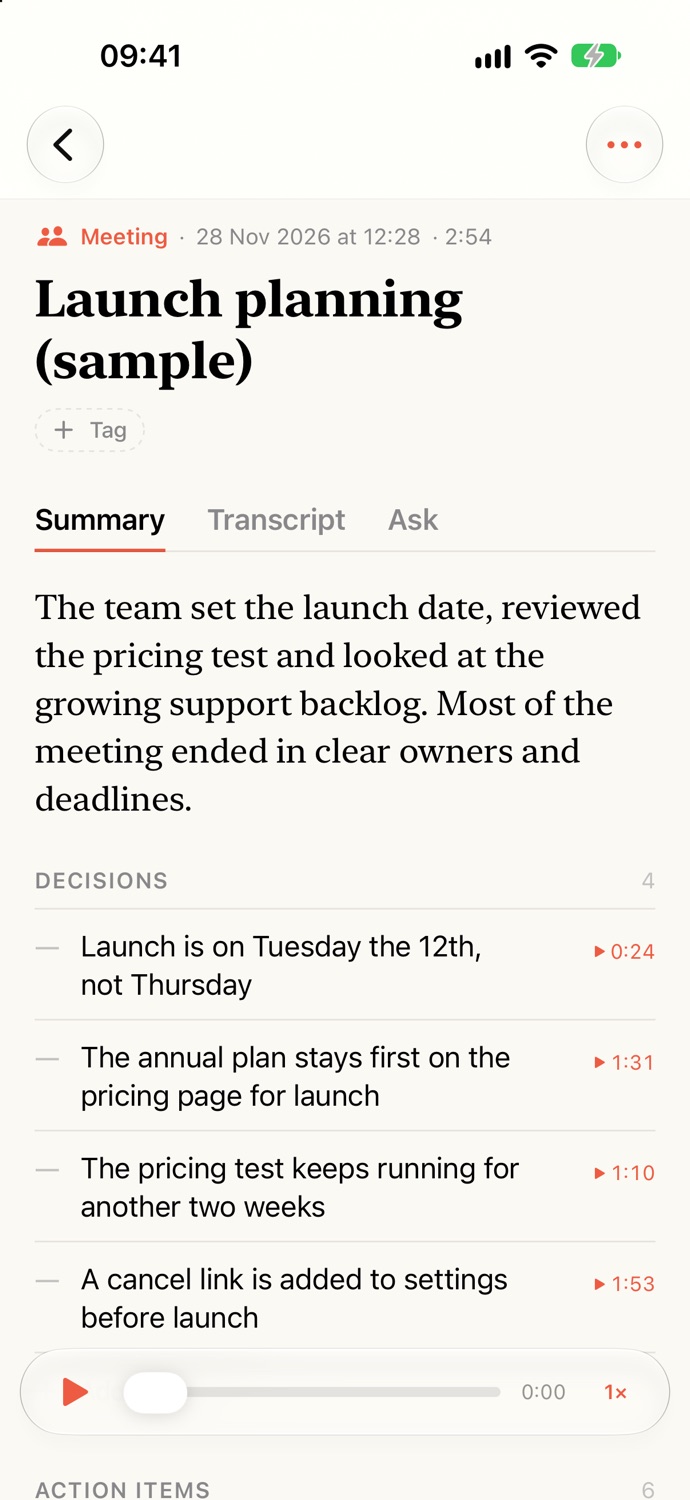
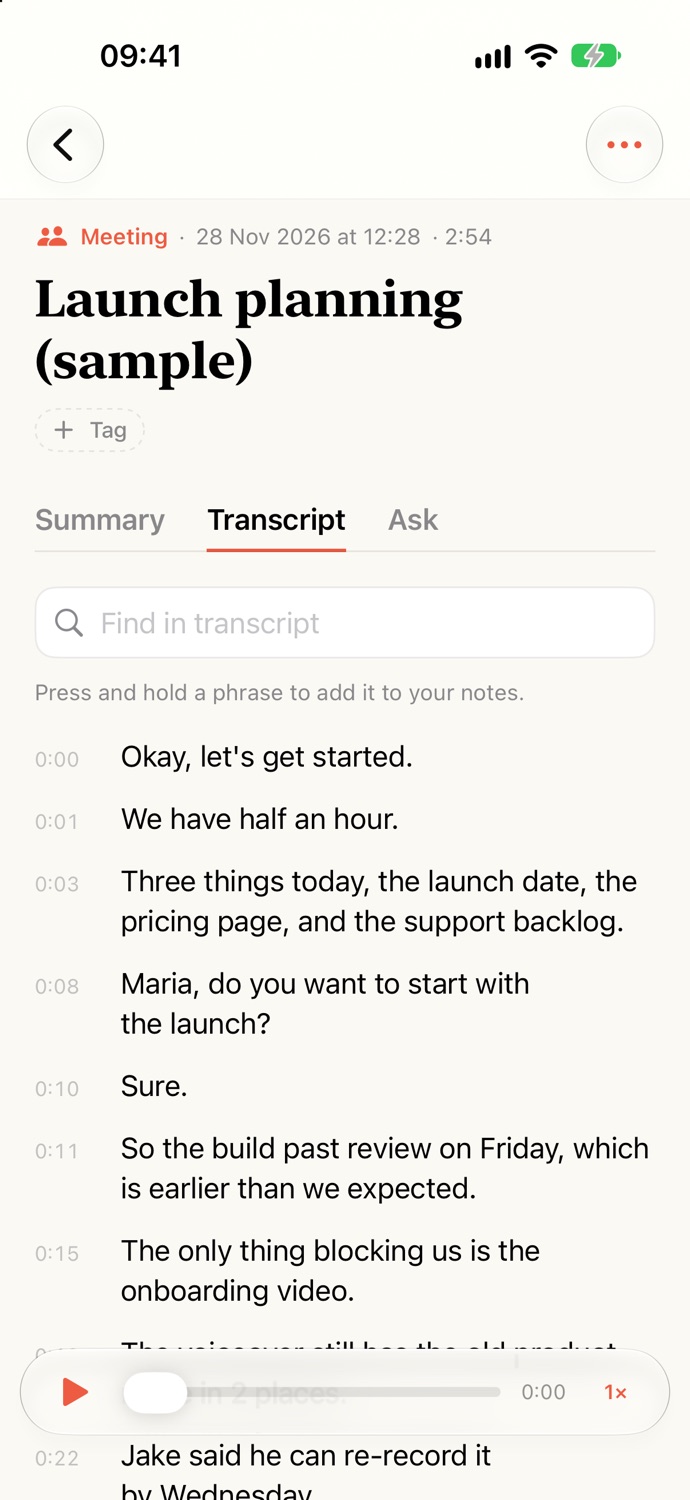
AI summaries can be wrong. Sesona doesn’t ask you to take its word for it: tap the time next to any line and hear the original.
- 1Summary firstA short paragraph, then decisions, tasks and questions — each with a time link.
- 2Ask your recording“What did we decide about pricing?” — an answer with the place in the recording it came from.
- 3Tasks from all notes in one listTick them off, or set a reminder for this evening, tomorrow or next week.
What you say stays on your iPhone
Other note takers send your audio to their servers. Sesona has no servers to send it to. Speech recognition and the summary run on Apple’s on-device models — the same conversation with your therapist never leaves your pocket.
Read it while it is being said
Live text appears as people speak. Afterwards you get a clean transcript with time stamps that you can search, copy and export.
- aFlag the important partOne tap during recording marks the moment — it lands in your notes.
- bBring your own filesImport audio or video from Files and Voice Memos and get the same notes.
- cDidn’t record? Dictate afterwardsAnswer three short questions by voice — no need to record anyone else.
- dAlways in viewA live timer on the Lock Screen and in the Dynamic Island while you record.
Same notes. A quarter of the price. None of the uploading.
| Sesona | Typical cloud note taker | |
|---|---|---|
| Where your audio goes | Nowhere. Processed on your iPhone. | Uploaded to the company’s servers |
| Account | None | Email sign-up required |
| Price | $19.99 a year, or $39.99 once | $6–10 a week, or $80–200 a year |
| Before you pay | Unlimited transcripts, 3 summaries a week | A paywall on first launch |
| Without internet | Works | Doesn’t |
| If you stop paying | Everything you made stays readable and exportable | Often locked |
Based on public App Store prices of popular AI note-taking apps in November 2026. Individual apps differ.
Try it properly before you pay anything
No paywall at launch. Use it for real meetings first — upgrade when three summaries a week stop being enough.
Free
Forever. No card.
- Unlimited recording, any length
- Unlimited transcripts with live text
- 3 AI summaries every week
- Search, flags, import of audio and video
- Export as text, backup to a file
Sesona Pro
First week free on the yearly plan.
- Unlimited AI summaries
- Ask questions about any recording
- PDF export
- Tags and reminders for tasks
- Everything in Free
Prices in US dollars; your App Store shows the price in your currency. Subscriptions renew automatically until cancelled in your Apple Account settings at least 24 hours before the end of the period. Payment is charged to your Apple Account. See the Terms of Use.
Will it work on my iPhone?
Sesona uses Apple Intelligence for summaries. We would rather tell you now than after you install.
iPhone 15 Pro and newer
Everything works: recording, live transcript, summaries by mode, questions to a recording. Apple Intelligence must be turned on in Settings → Apple Intelligence & Siri; the first download of its model can take a while.
Other iPhones with iOS 26
Recording, transcripts, search and export work in full, and Sesona picks out key moments, dates and numbers. AI summaries and questions are not available — and the app will not offer you Pro for them.
Things people ask first
Is anything uploaded?
No. The recording, the transcript and the summary are made on your iPhone by Apple’s on-device speech recognition and Apple Intelligence. Sesona has no server that could receive them and no account to sign in to. The only network requests are to the App Store for purchases, to Apple for a one-time language pack, and a tiny settings file — none of them contain your recordings or notes.
Which iPhones does it work on?
Recording and transcripts work on any iPhone with iOS 26 or later. Summaries and questions to a recording use Apple Intelligence, so they need an iPhone that supports it (iPhone 15 Pro or newer) with Apple Intelligence turned on. On other iPhones Sesona still records, transcribes and pulls out key moments, dates and numbers — and it does not ask you to pay for a summary it cannot make.
How is it so much cheaper than other AI note takers?
Cloud note takers pay for servers and for every minute of AI. Sesona runs on the chip you already paid for, so there is nothing to bill you weekly for.
What do I get for free?
Unlimited recording and unlimited transcripts, with search and export as text — forever. Plus three AI summaries every week. No card, no trial timer, no paywall at launch.
Can it record a phone call or a Zoom call on the same iPhone?
No — iOS does not let one app record another app’s sound. Put the call on speaker and record with your iPhone next to it, or use “dictate afterwards”: answer three short questions by voice and get the same notes.
Does it know who is speaking?
Not yet. Apple’s on-device speech recognition does not label speakers, so the transcript is a single stream with time stamps.
Which languages?
Transcripts work in the languages Apple’s on-device speech recognition supports; summaries — in the languages Apple Intelligence supports. English is the best supported today.
How accurate is it?
Good, not perfect. Names, numbers and quiet or overlapping speech are where automatic transcripts go wrong, and a summary can miss or misstate something. That is why every line links back to its moment in the recording — check anything that matters.
How do I cancel?
In the Settings app → your name → Subscriptions. Cancel at least 24 hours before renewal. The lifetime purchase is not a subscription and never renews.
Stop taking notes. Start listening.
Free to start. Private by default.